
Bottom Line: MT5 is better for testing EAs. Choose your live platform based on your existing setup and account type
| Your situation | Recommendation | Why (key point) |
|---|---|---|
| You want to find a good EA and test before using it | Go with MT5 | MT5’s Strategy Tester is more capable, making it easier to run a smooth cycle of backtest → tweak → retest. |
| You rely on many MT4 EAs/indicators, and there’s no MT5 version | Live = MT4 Testing = MT5 (run both) |
MT5 is faster and more flexible for testing, while MT4 keeps your current tools and workflow intact—practical “two-platform” operation. |
| You mainly trade manually and keep things simple | Either is fine | Results are driven more by broker execution, trading costs, and VPS latency than by MT4 vs MT5 itself. |
Related: What Is a Forex EA (MT4/MT5)? An Automated Trading Guide

MT4 vs MT5 basics: Same MetaTrader name, different platforms
| Topic | Key point |
|---|---|
| Design | MT4 launched in 2005 and MT5 in 2010. MT5 is newer, but it’s not a simple upgrade of MT4—it’s a different platform with a different design. |
| Compatibility | MT4 EAs/indicators (MQL4) do not run on MT5 as-is. You’ll need a port, a replacement, or an MT5 version. |
| Where the ecosystem is heading | New features and testing know-how tend to build up on the MT5 side, especially around EA backtesting and optimization. |
Trading costs and execution: the real difference is your broker and your latency
If you use the same broker and the same account type, you usually won’t see major platform-driven differences in
spread / swap / commissions or slippage.
What does create noticeable differences is:
(1) broker execution quality and (2) physical distance to the broker’s server = latency.
For scalping and EA trading in particular, your VPS location can directly affect fills and slippage.
EA backtesting and optimization: MT5 wins if you care about testing efficiency
EA performance depends not only on the strategy logic, but also on the quality of your testing.
Backtesting is the process of estimating expectancy and risk. If that foundation is weak, your live decisions become inconsistent.
Why MT5 is stronger (real-world Strategy Tester advantages)
| Advantage | What MT5 does well |
|---|---|
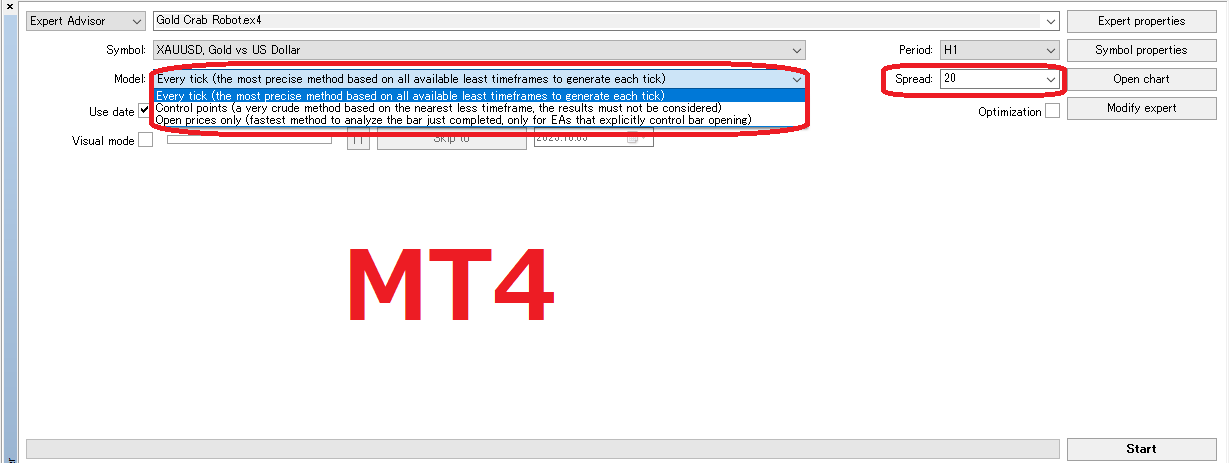
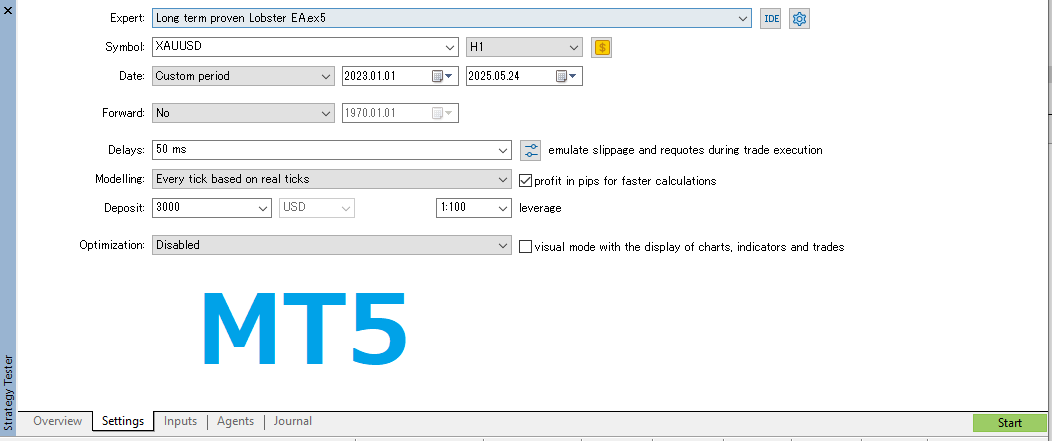
| Tick handling | Easier to test under conditions closer to live trading (some brokers/environments allow using real tick data). |
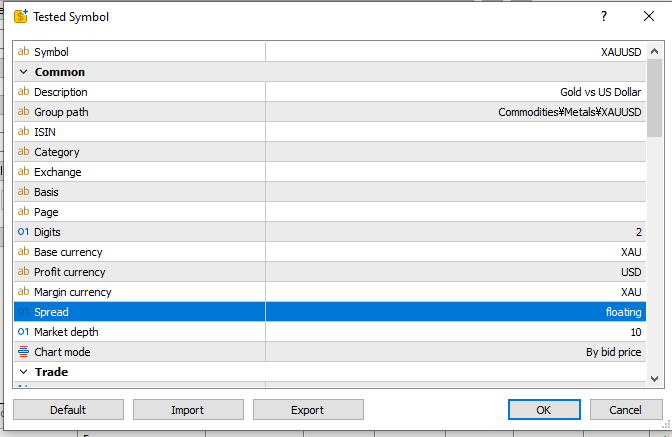
| Reproducing trading conditions | You can fine-tune test conditions like spread and commissions more easily. |
| Multi-symbol testing | Comparing multiple pairs and multiple EAs is easier from a portfolio perspective. |
| Faster optimization | Multi-threading and parallel processing help reduce the time needed for parameter optimization. |
If you choose EAs based on testing, MT5 makes it easier to repeat
test → improve → retest, which reduces surprises and “out of nowhere” behavior in live trading.
Supported markets: Choose MT5 if you may trade beyond FX
- MT5: Designed for multi-asset trading, including FX, stocks, futures, indices, commodities, and CFDs.
- MT4: In practice, it’s most commonly used mainly for FX.
Even if you trade only FX today, if you might trade indices or CFDs later, starting with MT5 usually reduces migration hassle.
Speed and stability: The gap grows with long tests, many symbols, and frequent optimization
- MT5: 64-bit and multi-threaded. Long-term, multi-symbol testing and optimization is much more realistic.
- MT4: Great for running light EAs. But wide testing and heavy optimization can become time-consuming.
If you run multiple EAs, optimize often, or want to stress-test with long data, MT5 has the advantage.
EA environment: MT4 has more legacy tools, while new development tends to favor MT5
- MT5: Uses MQL5. MT4 EAs/indicators cannot be used as-is (you need a port or an MT5 version). On the other hand, newer and more advanced EAs are increasingly MT5-compatible.
- MT4: Still has a large pool of existing EAs/indicators, plus lots of practical know-how and guides.
Order and position management: A “big” difference for EA trading
- MT5: Depending on your broker/account, you may be on hedging or netting.
- MT4: Basically hedging only (multiple positions on the same symbol are tracked separately).
Which style matches your trading? (quick guide)
- You scale in/out, average down, hedge, or manage multiple positions → MT4 or MT5 (hedging account)
- You’re fine managing one net position per symbol → MT5 (netting) is usually fine
Brokers and the trend: New accounts tend to lean toward MT5
- Some brokers still focus on MT4, but in recent years many brokers have been more likely to recommend MT5 or promote MT5-first setups.
- Over the long run, it often becomes easier to build your testing and tooling around MT5.
Mobile apps and UI: MT5 is often easier for first-time users
- MT5: More timeframes and a generally more modern feel.
- MT4: Simple and familiar for long-time users.
Practical note: If you’re new, the MT5 app is often easier to pick up. If you’re already comfortable with MT4, you don’t have to force a switch (but testing is usually smoother on MT5).
Common myths: Fix these and the choice becomes simple
- “MT5 can’t hedge” → It depends on your account type. Many brokers offer MT5 accounts that support hedging.
- “MT5 doesn’t have enough info” → Training materials and communities have grown fast, and testing know-how is often stronger on MT5 these days.
- “Which one makes you profitable?” → Results come from strategy edge × execution × costs × operations. The platform is just the “container.” With the same broker and account type, the difference is usually small.
Quick decision: Which one should you pick?
- You want to develop, optimize, and test EAs seriously → ✅ MT5
- You may trade indices/CFDs beyond FX → ✅ MT5
- You do long tests, multi-symbol tests, and frequent optimization → ✅ MT5
- Your EAs exist only in MT4 versions → ✅ MT4 (and testing in MT5 in parallel can still be practical)
Pre-live checklist
- Account type: Does your MT5 account support hedging, or is it netting? Does it match your EA’s assumptions?
- VPS location: Is it physically close to your broker’s server to reduce latency?
- PC/VPS specs: CPU cores, RAM, storage (can you benefit from MT5’s parallel optimization?)
- Risk rules: Max drawdown assumption, position sizing (fixed vs compounding), losing streak rules, weekend holding policy
- Monitoring and recovery: Terminal crash detection, execution alerts, auto-restart setup
A practical roadmap: How to choose with fewer mistakes
- Use MT5 as your testing hub (faster backtests and easier optimization).
- Choose your live platform based on your existing tools and account type (staying on MT4 is rational if your setup depends on it).
- In the end, the biggest differences often come from broker choice and VPS location.
FAQ
- Q. Can I use MT4 EAs on MT5 without changes?
- A. No. MT4 and MT5 use different languages (MQL4 vs MQL5) and different architecture. You’ll need a port or an MT5 version.
- Q. Can I hedge on MT5?
- A. It depends on your account type. Many brokers offer MT5 accounts that allow hedging.
- Q. With the same broker, will MT4 vs MT5 execution be different?
- A. Usually, the difference is small. Bigger differences come from broker execution quality and server distance (VPS location).
- Q. If I’m starting now, which is safer?
- A. If you value testing efficiency and future flexibility, MT5 is the safer default. If your current tools are MT4-only, running MT4 live while testing on MT5 is often a practical compromise.
 MQL5
MQL5
 Myfxbook
 YouTube
 X
X
 GOGOJUN